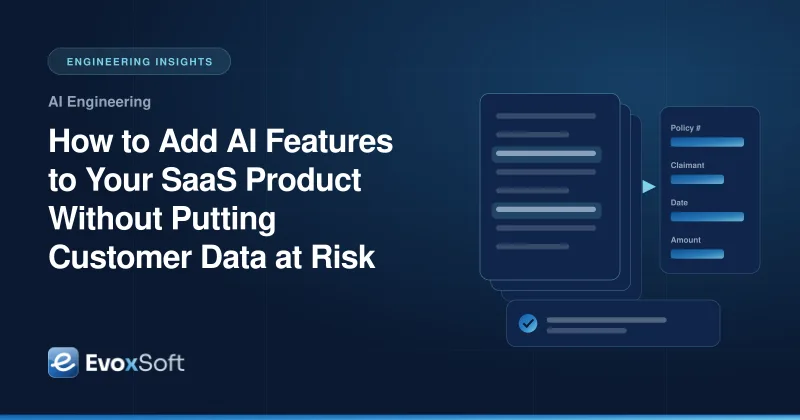
Customers increasingly expect SaaS products to summarize, draft, classify and answer questions for them. The pressure to ship AI features is real, but so is the risk. A retrieval bug that surfaces one customer’s contract to another, or a model provider that trains on your users’ data, can undo years of trust in a single incident.
The good news is that most of these risks are engineering problems with known solutions. This guide walks through how to add AI features to a multi-tenant product in a way that holds up in a security review.
Start with use cases where AI saves real time
The safest AI feature is one that solves a clear problem with a narrow scope. Good first candidates share a few traits:
- The task is repetitive and text-heavy, such as summarizing tickets, extracting fields from documents or drafting replies.
- A human already checks the result, so a wrong answer is caught before it causes harm.
- Success is measurable, for example time saved per task or the share of drafts accepted without edits.
- The data involved belongs to one tenant, which keeps isolation simple.
Avoid starting with open-ended chat over all of a customer’s data. It is the hardest to secure, evaluate and explain.
RAG versus fine-tuning
Most SaaS AI features need the model to know about customer-specific information. There are two main ways to provide it.
Retrieval-augmented generation (RAG) fetches relevant documents at request time and passes them to the model as context. The model itself never changes. Fine-tuning trains a model on your data, so knowledge becomes part of its weights.
For multi-tenant products, RAG is usually the right default:
- Data stays in your stores, under your access controls, and can be deleted on request.
- Answers can cite their sources, which helps users verify them.
- One tenant’s information never ends up inside a model that serves another tenant.
Fine-tuning still has a place for teaching a model a format, tone or domain vocabulary, ideally using synthetic or properly licensed data rather than raw customer records.
Tenant-isolated retrieval
Retrieval is where multi-tenant AI features most often leak. Apply the same discipline you use for your main database:
- Namespace the vector index per tenant. Use a separate index, collection or namespace for each tenant, or a mandatory tenant filter enforced by a retrieval wrapper that application code cannot bypass.
- Check user permissions, not just tenant. Within a tenant, a junior employee should not retrieve HR records they cannot open in the app. Store access metadata with each chunk and filter on it, or re-check permissions against the source system before passing results to the model.
- Keep embeddings in sync with deletions. When a document is deleted or access changes, update the index promptly.
- Test for leaks. Automated tests should query as one tenant and one user and assert that nothing from another scope comes back.
Our AI multi-tenant HRMS platform blueprint shows how tenant and role filters combine for sensitive employee data.
Defending against prompt injection
Prompt injection happens when text the model reads, such as an uploaded document or email, contains instructions that override your intended behavior. No single defense stops it completely, so layer several:
- Separate instructions from data. Put retrieved content in clearly delimited sections and tell the model to treat it as information, not instructions.
- Limit what the model can do. If the model can call tools, give it the smallest set possible, scoped to the current user’s permissions.
- Require confirmation for actions. Sending email, changing records or making payments should need explicit user approval.
- Validate outputs. Use structured output schemas, reject unexpected fields and strip links or markup you did not ask for.
- Test adversarially. Keep a set of known injection attempts in your evaluation suite.
Handling PII carefully
Send the model only what it needs. Before a prompt leaves your system:
- Detect and redact or tokenize personal data that is not required for the task.
- Avoid putting secrets, credentials or payment data into prompts at all.
- Apply the same retention rules to prompts, responses and logs that apply to the underlying records.
- Record which data categories each AI feature processes, so privacy reviews have a clear answer.
Model provider data terms
Before choosing a provider, read the data terms closely. Look for:
- A contractual commitment that your inputs and outputs are not used to train their models
- Clear data retention periods and the option to minimize them
- Regional processing options if your customers have residency requirements
- A data processing agreement you can reference in your own customer contracts
Share a plain summary of these terms with customers. Many enterprise buyers ask for it before enabling AI features.
Evaluation sets and regression testing
A model or prompt change that improves one case can quietly break ten others. Treat evaluation like a test suite:
- Build a golden dataset of representative inputs with expected outputs or grading criteria, using synthetic or approved data.
- Score automatically with exact checks for structured fields and rubric-based grading for free text.
- Run evaluations in CI whenever prompts, models, retrieval settings or chunking change.
- Add every production failure to the dataset once it is fixed, so it stays fixed.
Human review for high-stakes outputs
Some outputs should never go straight to a customer or a system of record. Claims decisions, compliance findings, hiring recommendations and financial figures need a person in the loop. Design review screens that show the source documents next to the output, highlight low-confidence fields and make correcting mistakes fast. Our AI document processing blueprint for insurance follows this pattern.
Cost and latency controls
AI features can become expensive and slow without guardrails:
- Set per-tenant and per-user quotas, and alert on unusual spikes.
- Route simple tasks to smaller, faster models and reserve larger ones for hard cases.
- Cache results for repeated, identical requests within a tenant.
- Stream responses for interactive features and move long jobs to background queues.
- Cap retrieved context size so prompts don’t grow without limit.
Observability
Log every AI interaction with tenant, user, feature, model version, prompt template version, retrieved document IDs, token counts, latency and cost. Traces that link retrieval and generation make it possible to explain why the model said something. Restrict access to these logs, since they contain customer content.
Rolling out with feature flags
Ship AI features behind flags that can be switched per tenant:
- Enable internally first, then for a few design partners who opt in.
- Let tenant admins turn features on or off, and respect that choice everywhere.
- Watch quality, cost and support signals before widening the rollout.
- Keep a kill switch that disables the feature instantly without a deployment.
Build AI features customers can trust
Adding AI safely is mostly about applying good multi-tenant engineering to a new kind of component. Our custom software development and IT consulting teams help SaaS companies design retrieval, guardrails and evaluation that hold up under scrutiny. Get in touch to plan your first AI feature.